Your clients get their confirmation and reminder by text, without you lifting a finger.
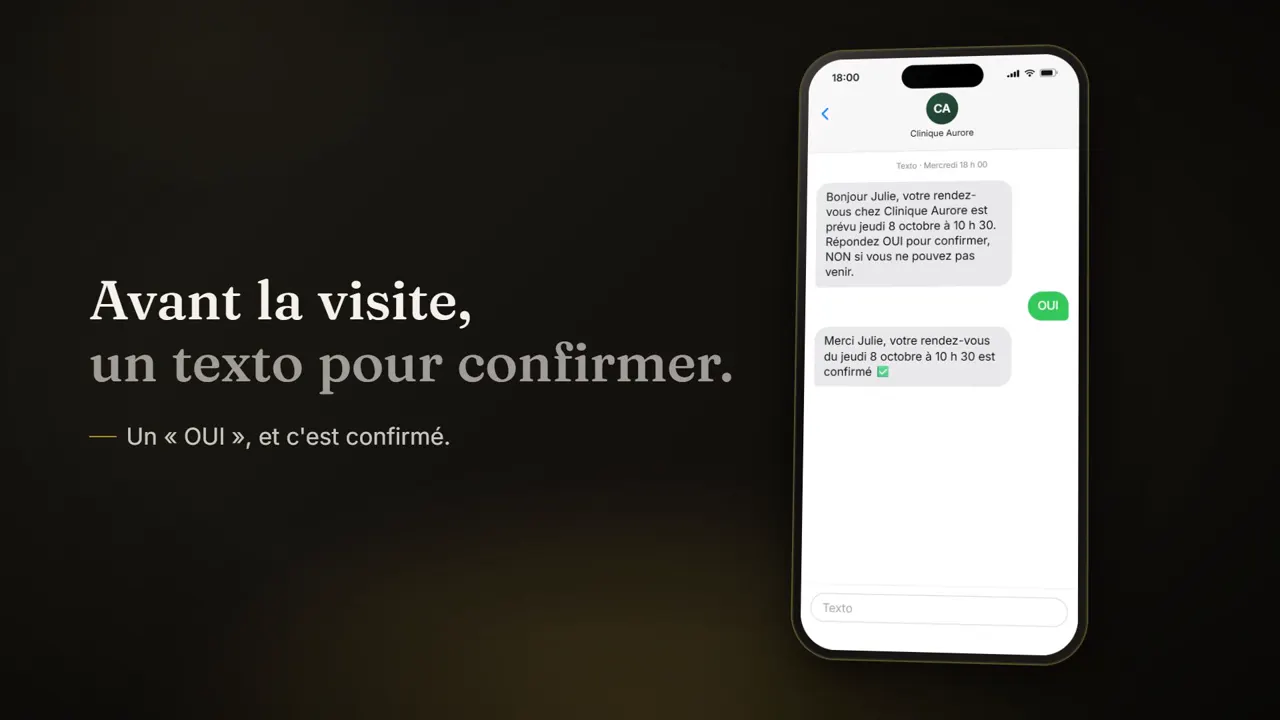
SkyTarget's text reminders send your clients a confirmation as soon as the appointment is booked, then a reminder 2 to 3 hours before, in French or English depending on the client. If you turn it on, a YES or NO confirmation request also goes out 24, 48 or 72 hours before, and the reply shows on the appointment card.
Included from the Essentiel plan: $39 per month, no contract.
The texts that go out on their own
- The confirmation. As soon as the appointment is booked: online, with Diana, with Élise or by your front desk.
- The reminder. A text 2 to 3 hours before the appointment, with the practitioner's name and the number to call to make a change.
- In the client's language. In French or English. With the client app (Signature plan), the reminder also arrives as a notification.
- Closures. When you close a day and choose to cancel and notify, the affected clients are told by text.
- STOP is respected. A client who replies STOP gets no more texts: it's checked before every send.
The YES or NO confirmation request
- 1You turn it onIt's off by default. In your settings, you choose 24, 48 or 72 hours before the appointment (48 hours unless you change it).
- 2The client gets the requestAs a notification if they have the app, otherwise by text.
- 3They replyYES, OUI or 1 confirms the appointment. NO or ANNULER marks it as declined, to call back.
- 4You see the replyOn the appointment card (confirmed, text sent and waiting, or declined and to call back), and in a time-stamped history.
After the visit
- The next-day follow-up. A text the next morning, for the treatments where you turn on the post-visit follow-up. It adds the link to your Google reviews, if you've set it.
- The recall reminder. For each treatment, you set a delay in days. The text only goes out if the client has no upcoming appointment, and at most once every 30 days.
- A YES becomes a request. When the client replies YES to the recall reminder, a request lands in your appointment requests, and they get the link to book.
What text reminders don't do
A NO cancels nothing and doesn't free up the time: the appointment is marked to call back, and your team decides. A client who doesn't reply stays “waiting”.
The confirmation request isn't sent for an appointment booked inside that window. The post-visit follow-up and the recall reminder are turned on treatment by treatment.
These aren't mass or marketing campaigns. And a text the carrier reports as delivered doesn't prove it showed up on the client's phone.
Frequently asked questions
When does the reminder go out?
2 to 3 hours before the appointment, by text, in French or English depending on the client.
Is the confirmation request automatic?
Only if you turn it on: it's off by default. You then choose 24, 48 or 72 hours before, and the reminder 2 to 3 hours before still goes out.
What happens if a client replies NO?
The appointment is marked as declined, to call back, in your calendar. Nothing is cancelled or freed up without you.
Do my clients need the app?
No. Without the app, everything goes by text. With the client app (Signature plan), the confirmation request arrives as a notification.
Can I ask for a Google review after the visit?
Yes. Turn on the post-visit follow-up for the treatments you want and add your Google review link in your settings: the next-day text includes it.
Which plan includes text reminders?
From the Essentiel plan: $39 per month, plus taxes, with no contract.